Home

Go Search
Home
Context
Productivity
Employment
Skills
Inequality
SSA Books
  
Home > Using the Almanac  

Using the Almanac

Modify settings and columns


This section provides information on the layout and contents of various sections of the the Almanac Online website and the workbooks it contains.  Almanac Online workbooks are presented in .xls format.  To access these data, you will need Microsoft Excel 2003 or later or a compatible reader.

In case of further problems, there is a link in the navigation links on each page (Contact Us) allowing direct contact with the UKCES Almanac team.

Please use the links below to skip to the information you require.

  • Navigation: Theme Page
  • Navigation: Sub-theme Page
  •  Navigation: Theme Page


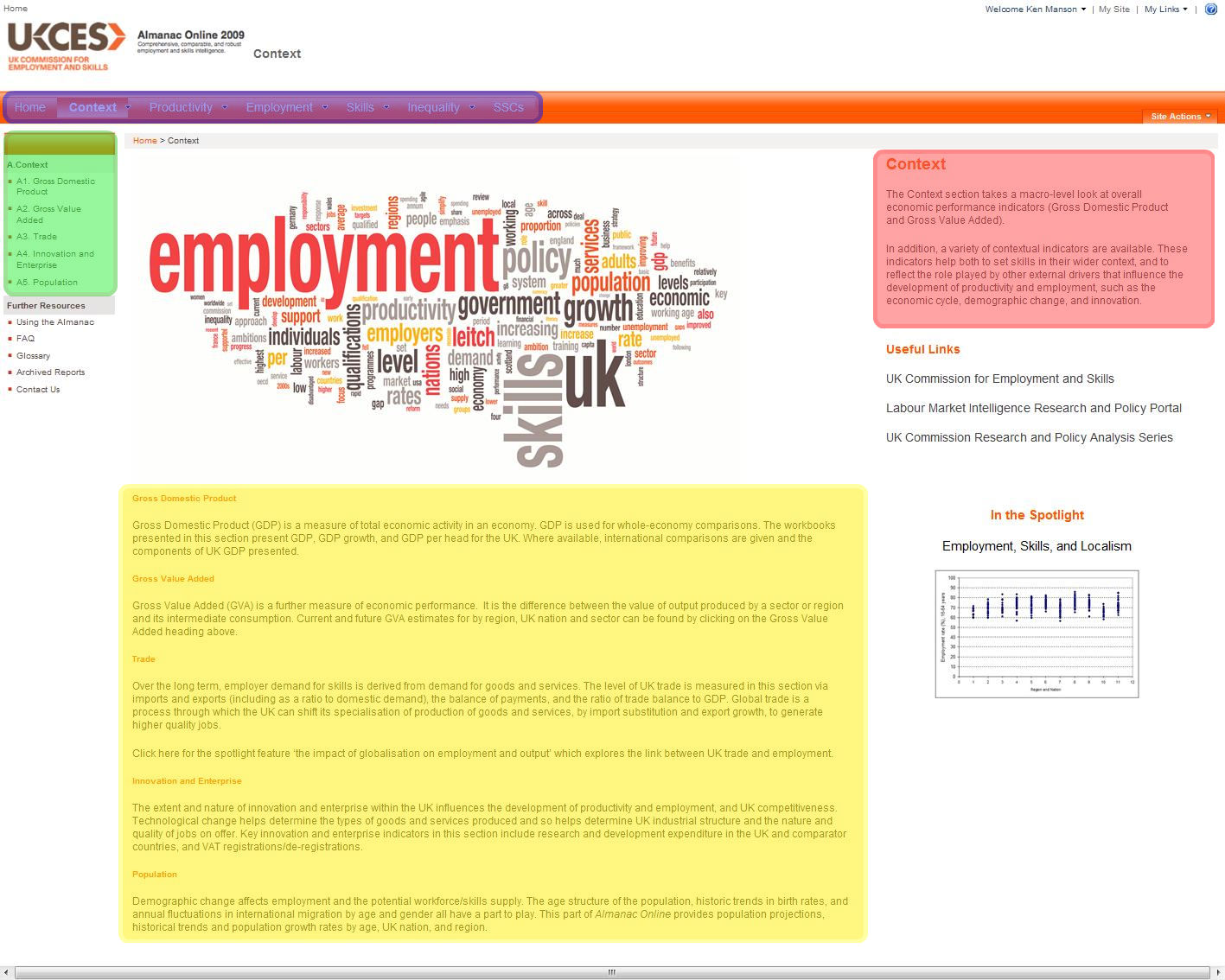
    The front page of the Almanac Online directs you to the site content.  The Almanac Online is organised hierarchically, with five themes, each split into sub-themes.  Sub-themes contain individual workbooks, which contain data on given variables.  Themes can be accessed from from any page in the Almanac through the tab bar at the top of the page.  Each theme has a drop-down menu for direct navigation to sub-themes. 

    When inside a theme, sub-themes are also accessible from the navigation links at the left hand side of the page.

    The front page of each theme displays an overview of the subject of the theme, as well as details of each sub-theme 


    Back to top


    Navigation: Sub-theme Page
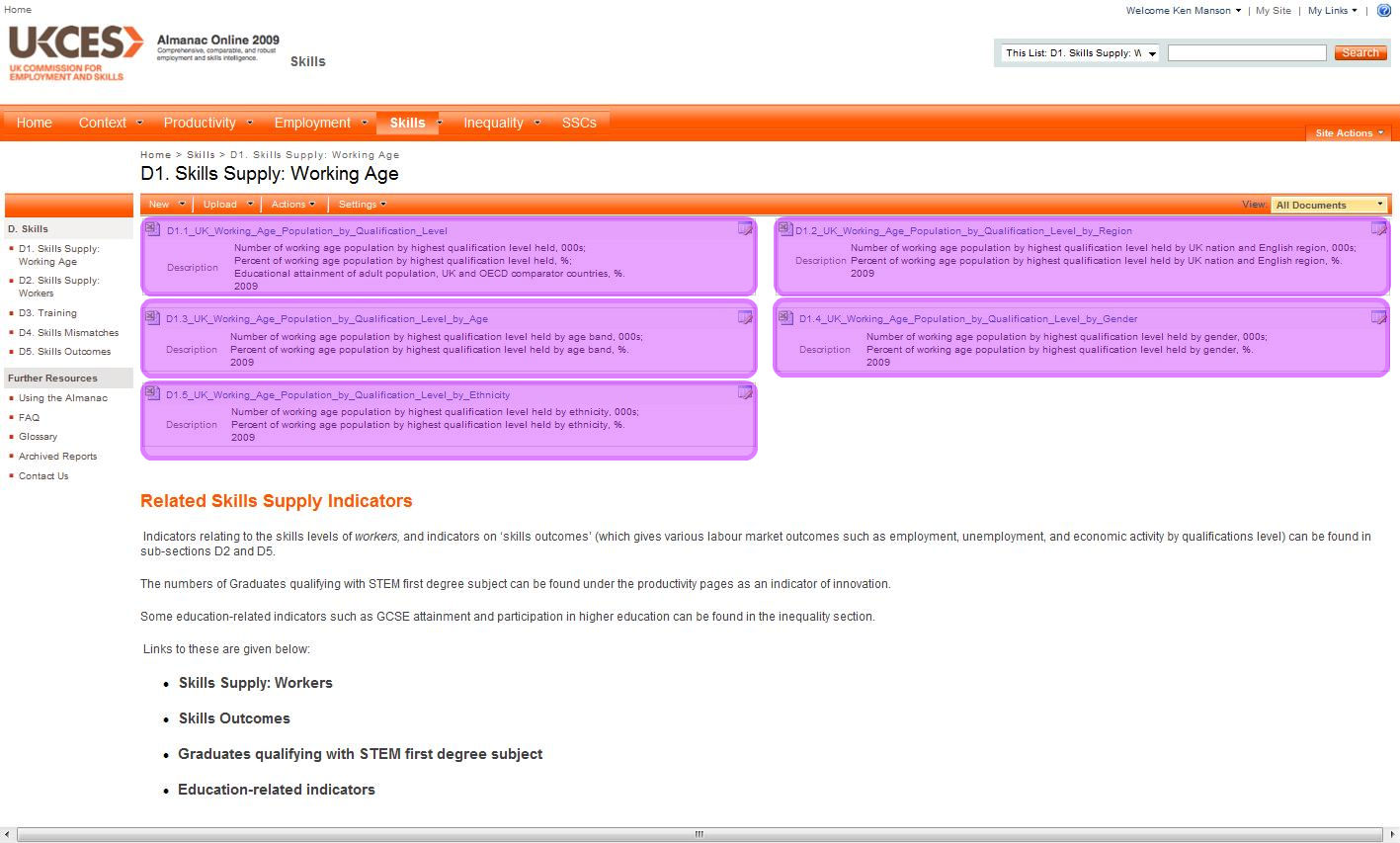


    Note that the tab bar at the top and navigation links at the left are intact.

    In the centre of the page, workbooks are presented with supporting information.  Each box contains a direct link to a read-only file in Excel format, a title, and a short description giving the variable described with its unit of measurement and time period covered. 

    Back to top

    Workbook: Contents Page


    When opening a workbook, you will be taken to the workbook contents.  This is always the first worksheet in a workbook.  It contains hyperlinks to higher levels of the Almanac Online website and hyperlinks within the workbook itself.
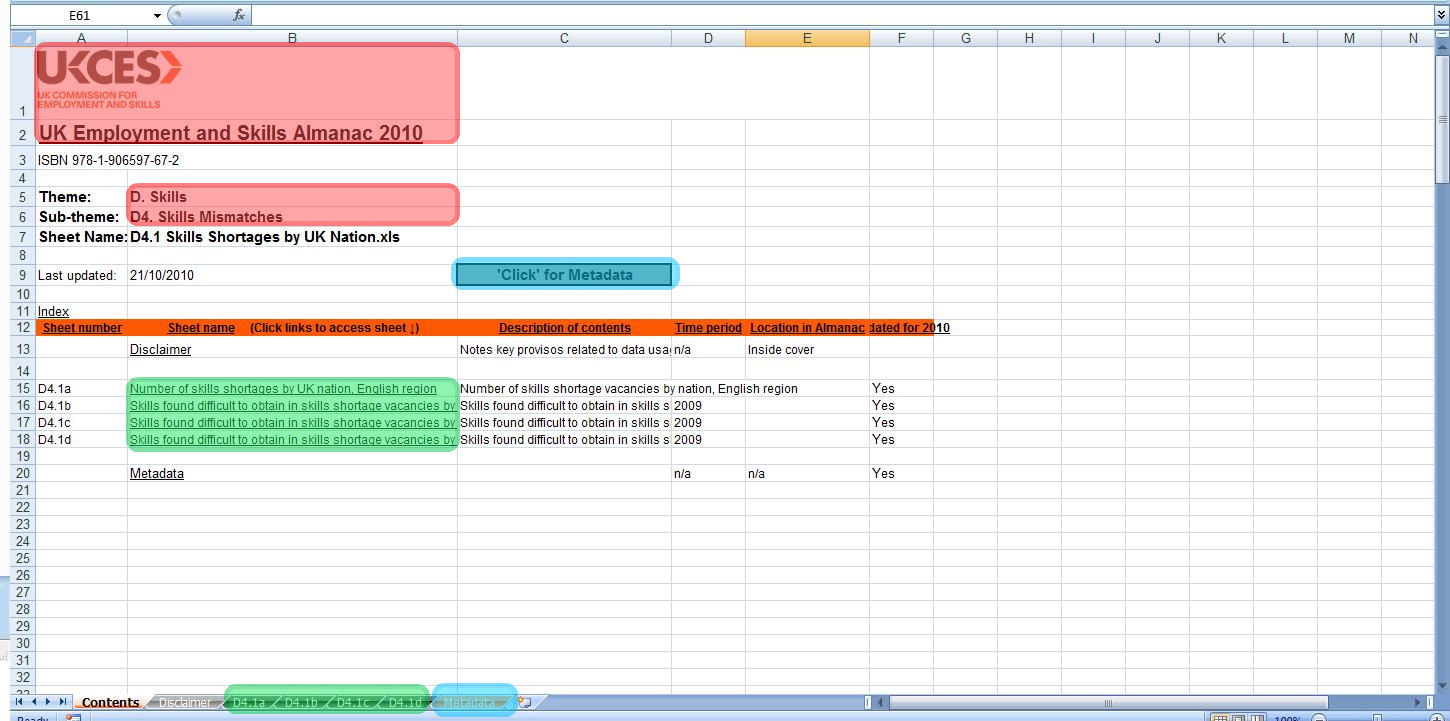


    The UKCES logo  and UK Employment and Skills Almanac  title are weblinks to the UKCES homepage and the Almanac Online homepage.  The cells titled Theme and Sub-theme  are weblinks to the respective theme and sub-theme pages on the Almanac Online website. 

    Underneath the orange bar are listed the workbook contents.  These link to sheets within the book.   Metadata for the workbook is available from the contents page; this provides information on datasets, source organisation, and a weblink to online datasets where appropriate.

    All sheets listed in the contents can also be accessed at any time via the tabs at the bottom of the screen. 

     Back to top

    Workbook: Data Page


    From the Contents page, worksheets containing data are available.
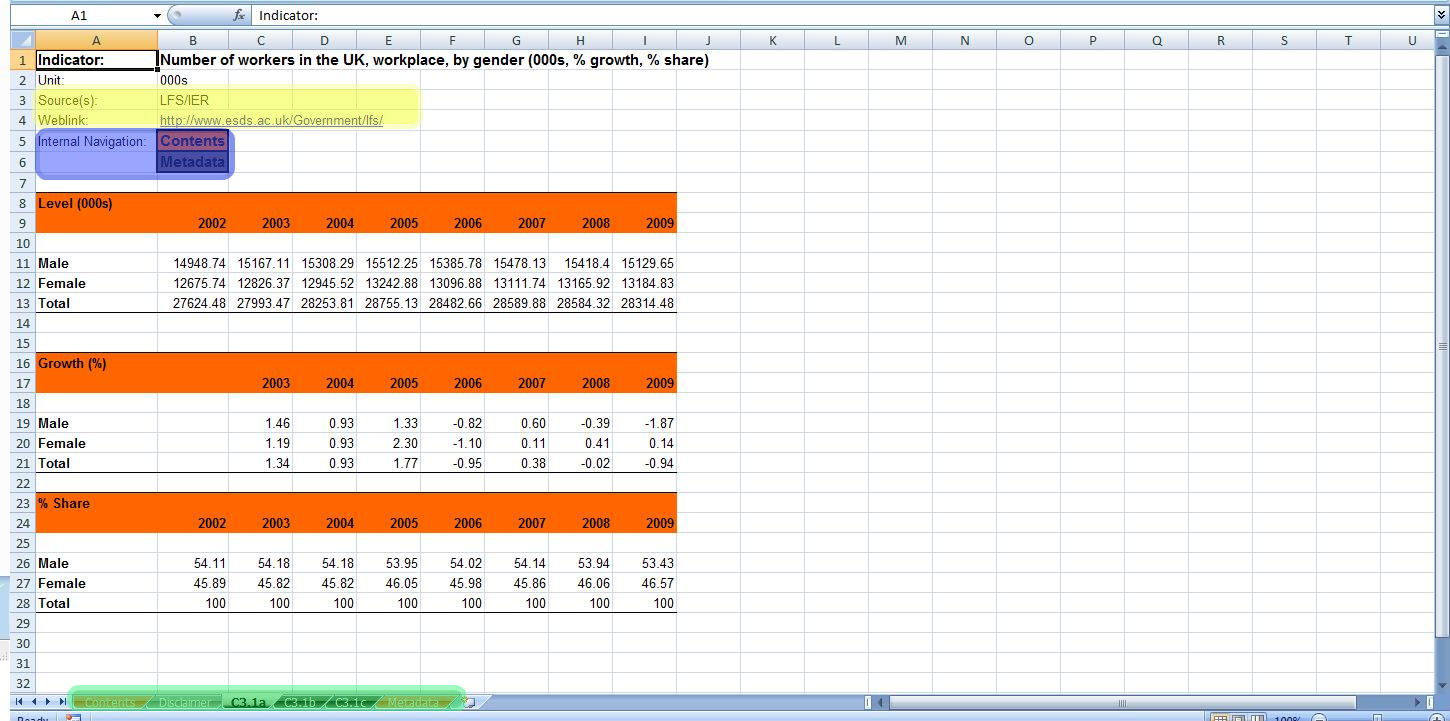
    When opening a data sheet, the variable described is always shown in the top left along with the unit of measurement.  Below this can be seen the source dataset along with a weblink to original data where appropriate.  In the case of multiple variables per sheet, this format is preserved above the relevant table.

    Internal links  are directly beneath source data.  These are internal hyperlinks pointing to the Contents and Metadata sheets.

    At all times, any sheet in the workbook can be accessed by means of the labelled tabs along the bottom of the screen.

     Back to top

      

    This section provides information on the layout and contents of various sections of the the Almanac Online website and the workbooks it contains.  Almanac Online workbooks are presented in .xls format.  To access these data, you will need Microsoft Excel 2003 or later or a compatible reader.

    In case of further problems, there is a link in the navigation links on each page (Contact Us) allowing direct contact with the UKCES Almanac team.

    Please use the links below to skip to the information you require.

  • Navigation: Theme Page
  • Navigation: Sub-theme Page
  •  Navigation: Theme Page


    The front page of the Almanac Online directs you to the site content.  The Almanac Online is organised hierarchically, with five themes, each split into sub-themes.  Sub-themes contain individual workbooks, which contain data on given variables.  Themes can be accessed from from any page in the Almanac through the tab bar at the top of the page.  Each theme has a drop-down menu for direct navigation to sub-themes. 

    When inside a theme, sub-themes are also accessible from the navigation links at the left hand side of the page.

    The front page of each theme displays an overview of the subject of the theme, as well as details of each sub-theme 


    Back to top


    Navigation: Sub-theme Page


    Note that the tab bar at the top and navigation links at the left are intact.

    In the centre of the page, workbooks are presented with supporting information.  Each box contains a direct link to a read-only file in Excel format, a title, and a short description giving the variable described with its unit of measurement and time period covered. 

    Back to top

    Workbook: Contents Page


    When opening a workbook, you will be taken to the workbook contents.  This is always the first worksheet in a workbook.  It contains hyperlinks to higher levels of the Almanac Online website and hyperlinks within the workbook itself.


    The UKCES logo  and UK Employment and Skills Almanac  title are weblinks to the UKCES homepage and the Almanac Online homepage.  The cells titled Theme and Sub-theme  are weblinks to the respective theme and sub-theme pages on the Almanac Online website. 

    Underneath the orange bar are listed the workbook contents.  These link to sheets within the book.   Metadata for the workbook is available from the contents page; this provides information on datasets, source organisation, and a weblink to online datasets where appropriate.

    All sheets listed in the contents can also be accessed at any time via the tabs at the bottom of the screen. 

     Back to top

    Workbook: Data Page


    From the Contents page, worksheets containing data are available.

    When opening a data sheet, the variable described is always shown in the top left along with the unit of measurement.  Below this can be seen the source dataset along with a weblink to original data where appropriate.  In the case of multiple variables per sheet, this format is preserved above the relevant table.

    Internal links  are directly beneath source data.  These are internal hyperlinks pointing to the Contents and Metadata sheets.

    At all times, any sheet in the workbook can be accessed by means of the labelled tabs along the bottom of the screen.

     Back to top


    This section provides information on the layout and contents of various sections of the the Almanac Online website and the workbooks it contains.  Almanac Online workbooks are presented in .xls format.  To access these data, you will need Microsoft Excel 2003 or later or a compatible reader.

    In case of further problems, there is a link in the navigation links on each page (Contact Us) allowing direct contact with the UKCES Almanac team.

    Please use the links below to skip to the information you require.

  • Navigation: Theme Page
  • Navigation: Sub-theme Page
  •  Navigation: Theme Page


    The front page of the Almanac Online directs you to the site content.  The Almanac Online is organised hierarchically, with five themes, each split into sub-themes.  Sub-themes contain individual workbooks, which contain data on given variables.  Themes can be accessed from from any page in the Almanac through the tab bar at the top of the page.  Each theme has a drop-down menu for direct navigation to sub-themes. 

    When inside a theme, sub-themes are also accessible from the navigation links at the left hand side of the page.

    The front page of each theme displays an overview of the subject of the theme, as well as details of each sub-theme 


    Back to top


    Navigation: Sub-theme Page


    Note that the tab bar at the top and navigation links at the left are intact.

    In the centre of the page, workbooks are presented with supporting information.  Each box contains a direct link to a read-only file in Excel format, a title, and a short description giving the variable described with its unit of measurement and time period covered. 

    Back to top

    Workbook: Contents Page


    When opening a workbook, you will be taken to the workbook contents.  This is always the first worksheet in a workbook.  It contains hyperlinks to higher levels of the Almanac Online website and hyperlinks within the workbook itself.


    The UKCES logo  and UK Employment and Skills Almanac  title are weblinks to the UKCES homepage and the Almanac Online homepage.  The cells titled Theme and Sub-theme  are weblinks to the respective theme and sub-theme pages on the Almanac Online website. 

    Underneath the orange bar are listed the workbook contents.  These link to sheets within the book.   Metadata for the workbook is available from the contents page; this provides information on datasets, source organisation, and a weblink to online datasets where appropriate.

    All sheets listed in the contents can also be accessed at any time via the tabs at the bottom of the screen. 

     Back to top

    Workbook: Data Page


    From the Contents page, worksheets containing data are available.

    When opening a data sheet, the variable described is always shown in the top left along with the unit of measurement.  Below this can be seen the source dataset along with a weblink to original data where appropriate.  In the case of multiple variables per sheet, this format is preserved above the relevant table.

    Internal links  are directly beneath source data.  These are internal hyperlinks pointing to the Contents and Metadata sheets.

    At all times, any sheet in the workbook can be accessed by means of the labelled tabs along the bottom of the screen.

     Back to top

    View: 
    There are no items to show in this view of the “Using the Almanac” document library.